How to Reset a Breaker and Find What Keeps Tripping It
Unload the circuit, push the tripped handle fully to OFF, then back to ON. If it trips again, stop and use this checklist to narrow down the cause.
The Quindrel Team
November 5, 2026 · 8 min read
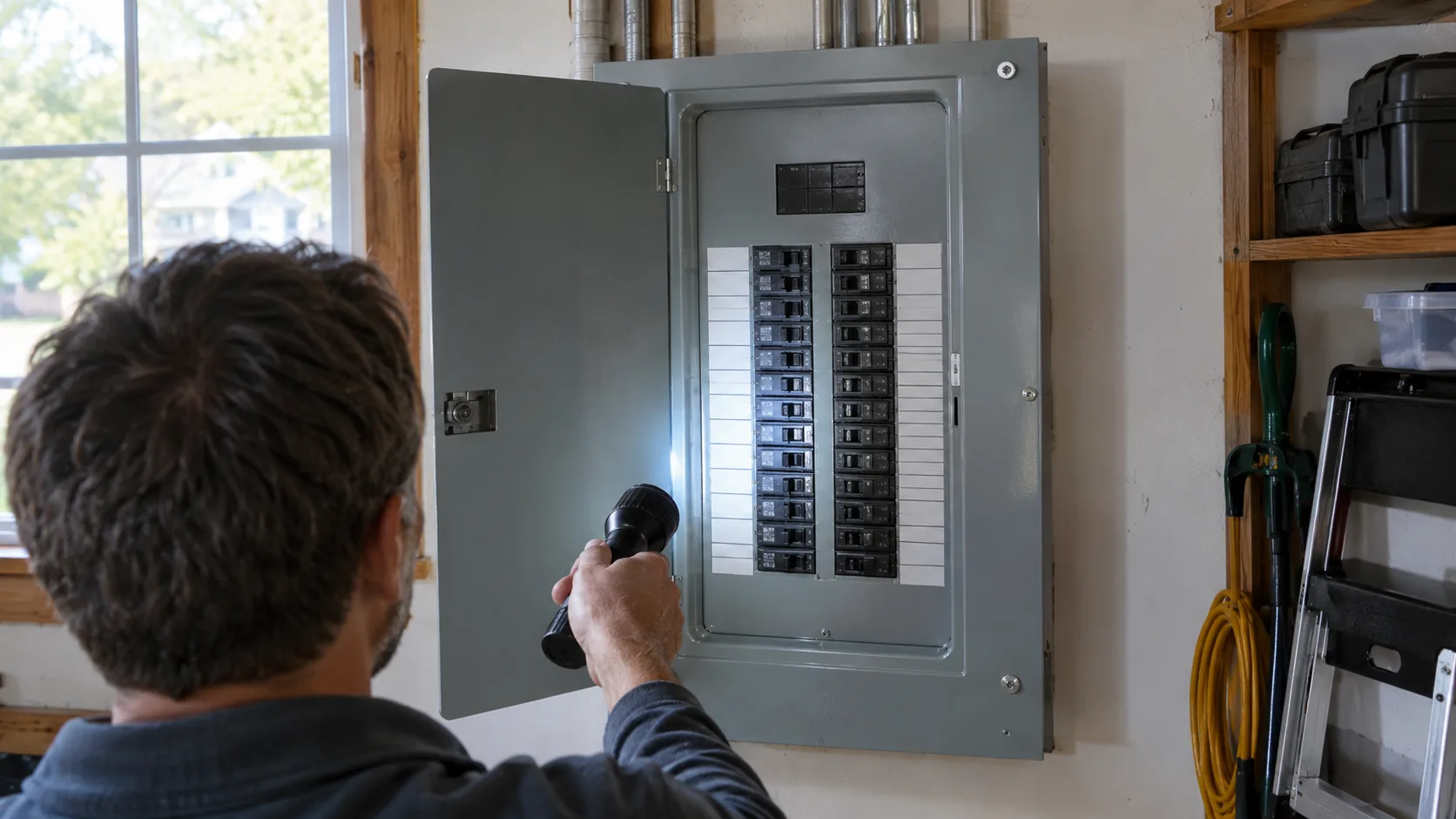
Here is how to reset breaker handles in short: switch off or unplug everything on the affected circuit, push the tripped handle firmly all the way to OFF, wait a moment, then push it to ON. A breaker that trips once after a heavy load is common. A breaker that trips again right away is telling you to stop and find the cause.
This guide gives the reset sequence, then a checklist for narrowing down an overloaded circuit, a short circuit or a ground fault, with a plug-in socket tester to confirm power at the outlets. It also lists the signs that mean you should leave the panel alone and call an electrician.
What a tripped breaker is telling you
A circuit breaker is a switch that opens on its own when the current on a circuit goes beyond what the wiring is meant to carry. When it opens, the handle usually sits in a middle position or at OFF, and everything on that circuit loses power.
There are three usual reasons a breaker trips:
- An overload: too many devices, or one heavy device, on the same circuit.
- A short circuit: a hot conductor touches a neutral or another hot conductor, often inside a damaged cord, appliance or fixture.
- A ground fault: current leaks to ground, which is more likely in damp areas like bathrooms, kitchens, garages and outdoor outlets.
Knowing which one you are dealing with decides whether a reset is reasonable or whether the next step is a professional.
Before you touch the panel
Work through this short checklist first. A reset takes only a few actions, but the panel holds live parts.
- Keep your hands and the floor around the panel dry. If there is standing water, a burning smell, buzzing or scorch marks, do not go near it and call an electrician.
- Use a flashlight so you can read the panel in a dark closet or basement.
- Stand to the side of the panel and use one hand on the breaker handle.
- Do not remove the panel cover. Only the breaker handles are for homeowners.
A federal workplace-safety interpretation on who may reset circuits or replace fuses shows that this task is regulated in workplaces. Follow your panel's manual and your local rules.
How to reset breaker step by step
Use this sequence for a standard household breaker, including a single pole breaker that serves one 120V circuit.
- Switch off the lights and unplug everything on the dead circuit. Check the rooms that lost power, including garage and outdoor outlets.
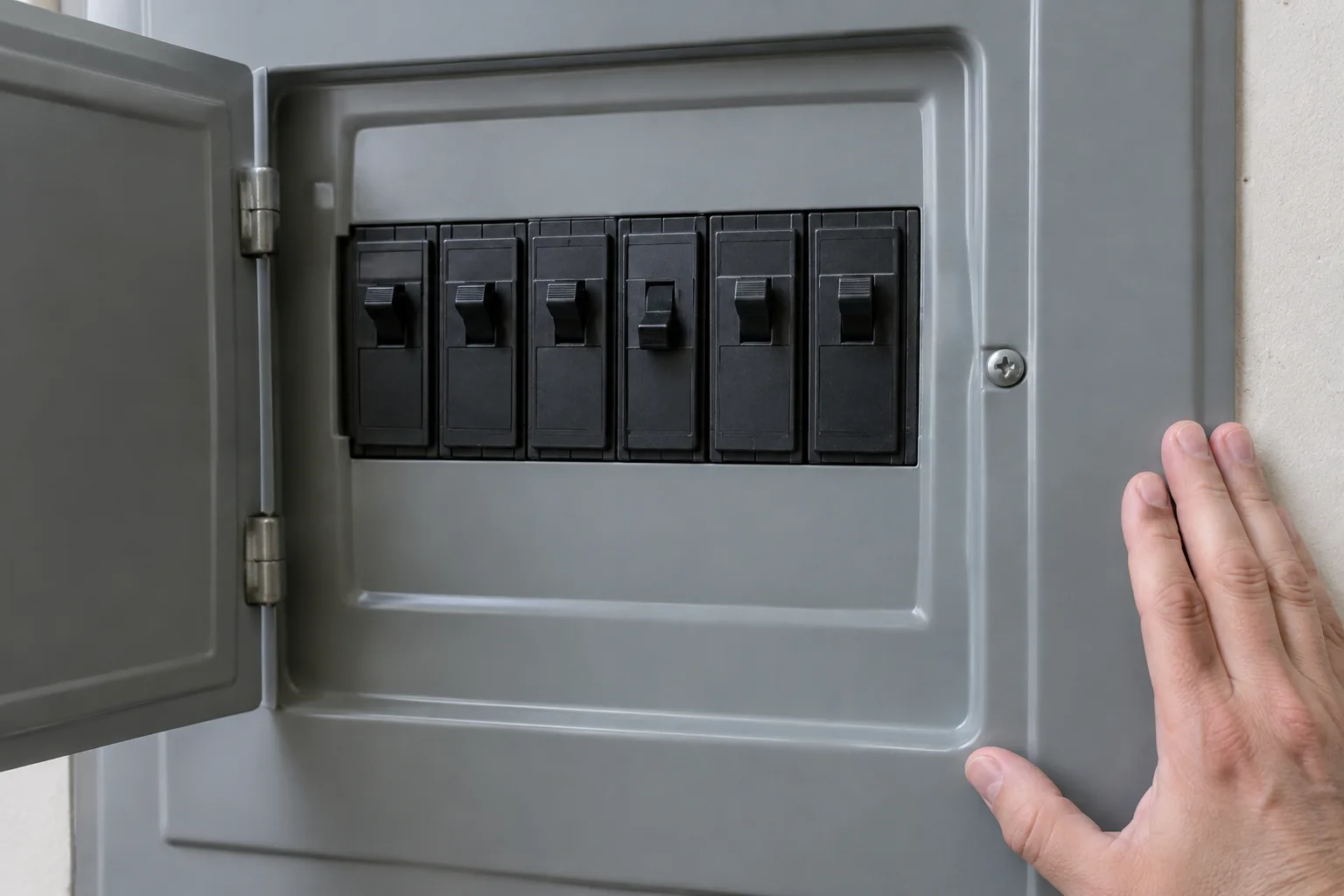
- Open the panel door. Look for the handle that sits in the middle position or at OFF while the others point the same way.
- Check for visible damage first: scorch marks, melted plastic, a burning smell or moisture. If you see any of these, stop here.
- Push the tripped handle firmly to the full OFF position. You may feel a click. A handle that is only moved partway will not re-latch.
- Wait 1 minute with the circuit still unloaded.
- Push the handle firmly to ON.
- Leave the circuit empty for a short moment and see whether the handle stays in place.
- Plug in and switch on devices one at a time, and watch for the breaker to trip again.
Reset a given breaker one time only. If it trips again, do not keep forcing it. Move to the troubleshooting checklist below.
Power went out: how to reset breaker after an outage
After a storm or a utility outage, breakers do not always trip, so check the panel first. If the main breaker is at OFF and you do not know why it opened, leave it to an electrician.
If the neighbors are dark too, it is an outage outside your home, so call the utility. If only your home is dark and the main is still ON, call the utility or an electrician and do not open the panel.
While the power is still out, switch off or unplug large loads. When power returns, bring them back one at a time.
Resetting special breakers and fuses
Breakers with a test button
A breaker with a small test button is a ground-fault or arc-fault type. Pressing the button on purpose makes it trip, which shows the device responds. To restore power afterward, push the handle fully to OFF, then to ON. Follow the label and manual on the breaker itself.
Brand-specific breakers
If you wonder how to reset a particular manufacturer's breaker, the motion is the same for standard types: full OFF, then ON. The panel door label and the breaker's manual list any differences, so read those before you try anything unusual.
Fuse boxes
A fuse cannot be reset. A blown fuse has to be replaced with a fuse of the same amp rating printed on the old one, with the main power off. If you are unsure about the rating, the fuse type or the condition of the fuse holder, ask an electrician.
Outlets with a reset button
Some outlets, often in bathrooms, kitchens and outdoors, have their own TEST and RESET buttons. If one outlet is dead, press RESET on it before you go to the panel, since a ground-fault outlet can protect several outlets downstream.
What if the breaker won't reset or won't stay on
A breaker that will not hold ON usually falls into one of a few cases. Match what you see to the table.
| What happens | Likely cause | What to do |
|---|---|---|
| Trips after a few minutes of use | Overload on the circuit | Move devices to another circuit and retest one device at a time |
| Trips right when a certain device turns on | Faulty device or short in its cord | Leave it unplugged and have it checked or replaced |
| Trips at once with nothing plugged in | Fault in the wiring, a fixture or the breaker | Stop and call an electrician |
| Handle will not click to ON | Handle not fully at OFF first, or a faulty breaker | Try the full OFF then ON once more, then call an electrician |
| Trips in damp areas, especially after rain | Ground fault, moisture in a box or fixture | Keep the circuit off and call an electrician |
| Warm, buzzing or discolored breaker | Loose connection or damaged breaker | Stop and call an electrician |
If the breaker trips with nothing plugged in, the load is not the problem. That points to the wiring or the breaker, and neither is a DIY job.
How to find what is tripping your breaker
Finding the cause means separating the circuit's load from the circuit itself, one device at a time.
Step 1: List what is on the circuit
Walk through the rooms that lost power and note every outlet, light and fixed appliance. Space heaters, hair dryers, microwaves, window air conditioners and power tools draw a lot of current, and two of them on one circuit can be enough to trip it.
Step 2: Reset with everything unplugged
Reset the breaker once with the circuit empty, as above. If it holds, the fault is likely in something you unplugged.
Step 3: Add devices one at a time
Plug in and run each device alone for a while. If the breaker trips when one particular device runs, inspect its cord and plug for cuts, heat marks or a loose blade, and keep it out of use. If it trips only when two heavy devices run together, you have an overload, and the fix is to split them across circuits.
Step 4: Confirm power and wiring with a socket tester
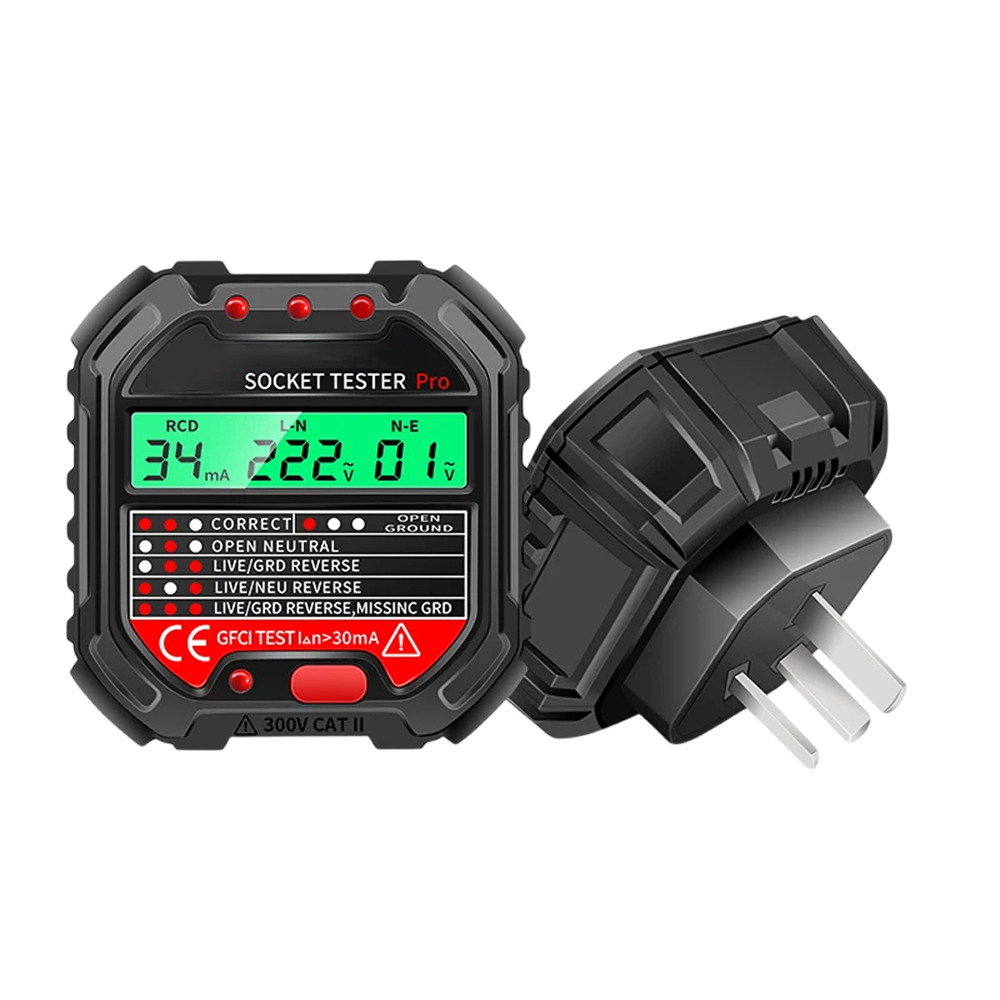
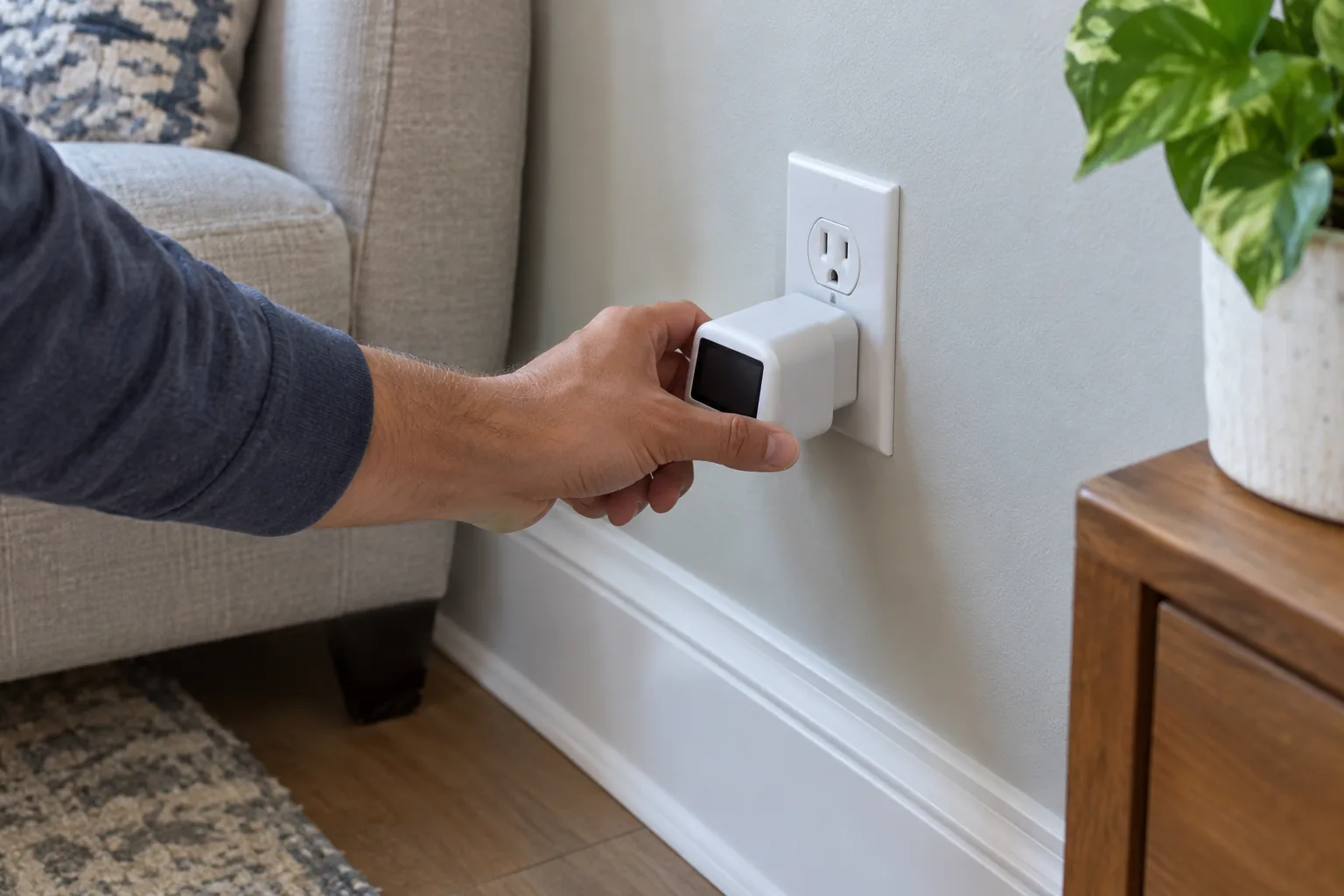
Once the breaker holds, check the outlets on that circuit before relying on them. The OutletIQ is a plug-in socket tester with a backlit digital display. It draws power from the outlet, so it needs no batteries, and it shows the wiring status and AC voltage (48V to 250V) on the screen.
On plug-in it checks the connections between hot, neutral and ground and reports conditions such as open ground and reversed polarity. The backlight helps in a dark closet or crawl space.
 In this guideOutletIQ$69.99View
Step 5: Check the ground-fault outlet response
If the outlet is a ground-fault type, press the RCD button on the OutletIQ to see whether the protective device trips. If the outlet does not trip, or will not reset afterward, do not use it and have it checked by an electrician. The RCD button is a check of the outlet, not a substitute for the outlet's own TEST and RESET buttons.
Step 6: Compare outlets on the same circuit
Check every outlet you can find on that circuit. One outlet with an open ground or reversed polarity while the others read normal points to a wiring problem at that spot. For a deeper look at reading voltage with a meter, see how to use a digital voltage meter, which covers household circuits as well as 12V.
You can find more plug-in and handheld options in the Electrical & Signal Testers collection.
Field note
Write the load on each circuit on a sheet taped inside the panel door: which rooms, which big appliances. Next time a breaker trips, your list of loads is already done.
Common mistakes when you reset a breaker
These habits turn a simple reset into a repeat trip or a hidden problem:
- Flipping the handle only to the middle or straight to ON. Push it fully to OFF first so it re-latches.
- Resetting repeatedly. Each trip is a warning, so reset once and investigate.
- Leaving the load plugged in during the reset, which can trip it again at once.
- Swapping in a larger breaker to stop nuisance trips. The breaker size is matched to the wire, so ask an electrician about any change.
- Using an extension cord or power strip as a permanent fix for too few outlets.
- Ignoring a warm panel, a smell or a buzz because the power came back.
When to stop and call an electrician
Call a licensed electrician, and keep the circuit off, if any of these apply:
- The breaker trips again right after a reset, or with nothing plugged in.
- The handle will not stay ON or will not move.
- You see scorch marks, melted plastic or moisture on or around the panel.
- You smell burning, hear buzzing or crackling, or notice heat from the panel door.
- Lights flicker or dim across several rooms, or outlets read open ground or reversed polarity on the tester.
- The main breaker has tripped and you do not know why.
- A ground-fault outlet or breaker will not reset or does not trip when you press its test button.
- You need to open the panel cover or replace a breaker or fuse holder.
A campus housing page on tripped breakers gives a similar sequence: reduce the load, reset once, and report the problem if it returns. Tell the electrician what you found: which circuit, what was running, and what the tester displayed.