
Qi-Certified Wireless Chargers: What It Means for a Car Mount
Qi-certified wireless chargers are products listed as meeting the Qi standard for power transfer and interoperability. This guide shows how to verify one and what to check on a car mount.
The Quindrel Team
November 17, 2026 · 7 min read

Qi-certified wireless chargers are pads, stands and mounts that appear on the Qi standard's public product list. The listing covers how the charger and phone exchange messages, how power is transferred and how the charger responds to metal on its surface. For a car mount, the listing is a starting point: you also need to look at magnets, vent fit, heat and the power source.
This guide explains what the label means, how to confirm it for a specific model, how Qi, Qi2 and magnet-ring charging differ, and what to check before you buy a charging mount.
What do qi-certified wireless chargers cover?
Qi (pronounced "chee") is a wireless power standard. A charger contains a coil that creates a changing magnetic field. A matching coil in the phone picks up that field and turns it into charging current. This is called inductive charging, and it works only across a short gap, which is why the phone has to sit on the pad.
A listed charger has been submitted to checks on several fronts. The standard defines how the two devices exchange information, what power levels the charger offers and how the charger responds when something other than a phone is on it.
| Area | What the standard defines | Why it matters in a car |
|---|---|---|
| Communication | The phone and charger exchange messages to agree on a power level | A phone and mount from different makers can work together |
| Power profile | A baseline profile and an extended profile for higher wattage | Sets the listed power level of the charger |
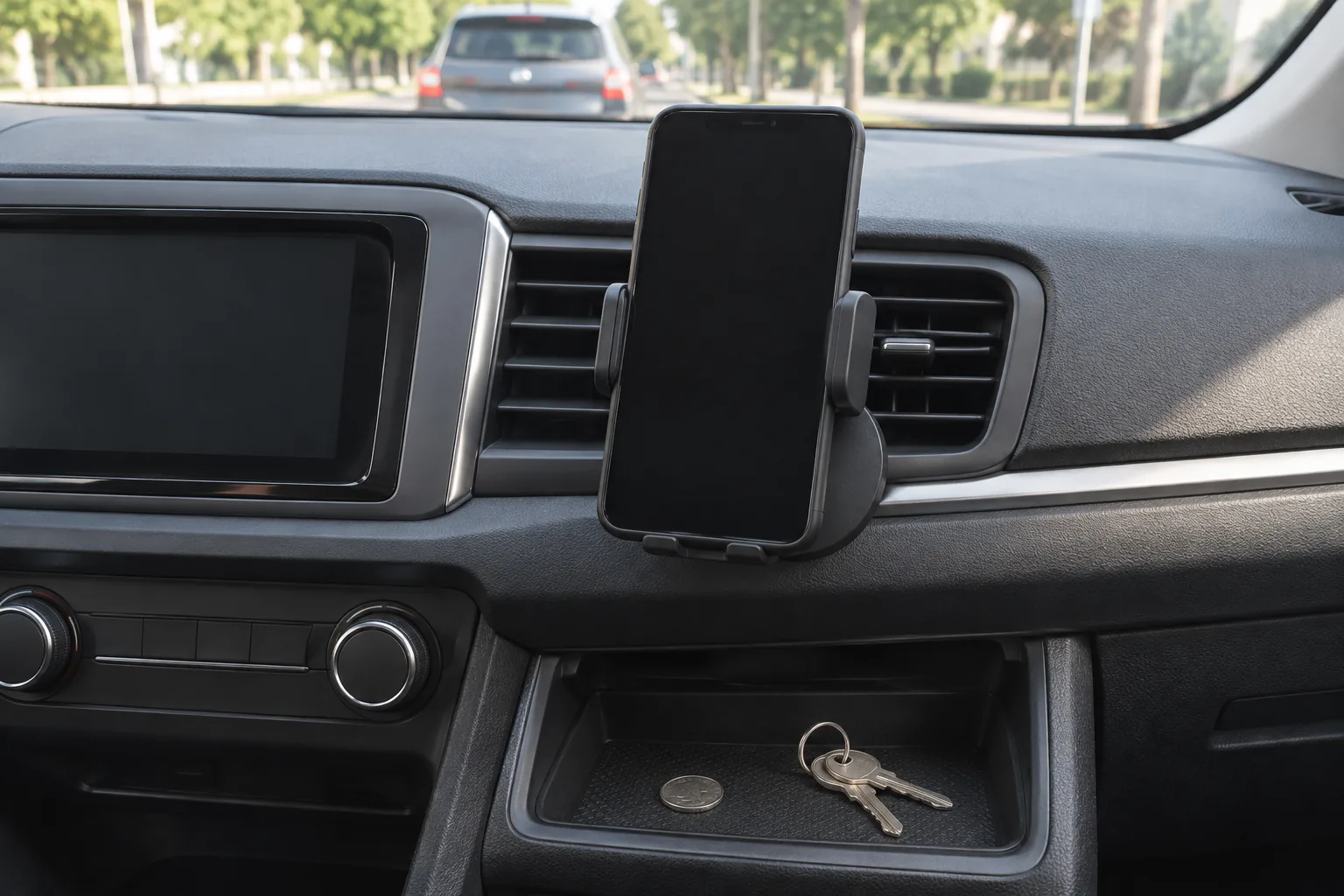
| Foreign object detection | The charger looks for metal, such as a coin or a key, between the phone and the coil | Loose change and metal plates end up in cabins |
| Alignment | Coil position, and in Qi2 a magnet ring | Road vibration shifts a phone that is not held in place |
The label describes the charger's design against the standard. It does not describe the vent clip, the cable or the car charger feeding the mount. Those parts are yours to check.
How to check that a wireless charger is on the Qi list
A logo on a box or a product page does not confirm anything by itself. Use these steps instead.
- Find the exact model number on the product page, the box or the charger's underside.
- Open the standard body's online product list and look up the brand, model or listing number.
- Confirm the model on the list matches your model, not just the same product line.
- Compare the listed power level with any wattage figure on the product page.
- Check the listed version: Qi, or the newer Qi2 with magnetic alignment.
- If the model is not on the list, ask the seller for its listing number before you buy.
A missing entry does not always mean a fake, since new products can take a while to appear. It does mean you cannot confirm the claim yet.
Qi, Qi2 and magnet-ring charging in a car
The three terms describe different things, so they are not direct rivals. Qi is the base standard. Qi2 is a newer version of that standard that adds a magnetic alignment ring, so the phone snaps onto the coil. Magnet-ring charging, found on some phones, uses a similar ring of magnets and works with a charger that has the matching magnet layout.
| Feature | Qi | Qi2 | Magnet-ring system |
|---|---|---|---|
| What it is | Base wireless power standard | Newer version with magnetic alignment | A phone-side magnet ring with matching chargers |
| Holds the phone | No, a clip or cradle does that | Yes, through the magnet ring | Yes, through the magnet ring |
| Phone needs magnets | No | Phone or case with magnets, or a magnetic adapter | Phone or case with magnets, or a magnetic adapter |
| Where to verify | Standard's product list | Standard's product list | The phone maker's accessory information |
In a car, magnets are worth checking. A flat pad lets the phone slide, while a magnetic face keeps the coils lined up. A thick case or a case with a metal plate can interfere with both the hold and the charging, so check the phone case before you question the mount.
If your phone has no magnets, a magnetic adapter or a case with a built-in ring lets it sit on a magnetic face. Read the mount's page to see whether an adapter is included.
What a car changes about wireless charging
Heat
A phone that charges while running navigation and streaming audio warms up, and direct sun on the dashboard adds to it. Follow the phone's manual on heat, and lift the phone off the charger if it feels hot to handle.
Power source
A mount draws power from the cabin through a car charger or a USB port. Check which charging protocol the mount lists and match your car charger to it. Our article on what an inverter does and what it can run from a car covers another way to power devices on the road.
Vibration and fit
Vent slats vary from car to car. A mount needs a vent grip that matches your slats and a joint you can set and leave alone while driving. Adjust the angle while parked, never while the car is moving.
A car mount that combines magnets, a vent hook and wireless charging
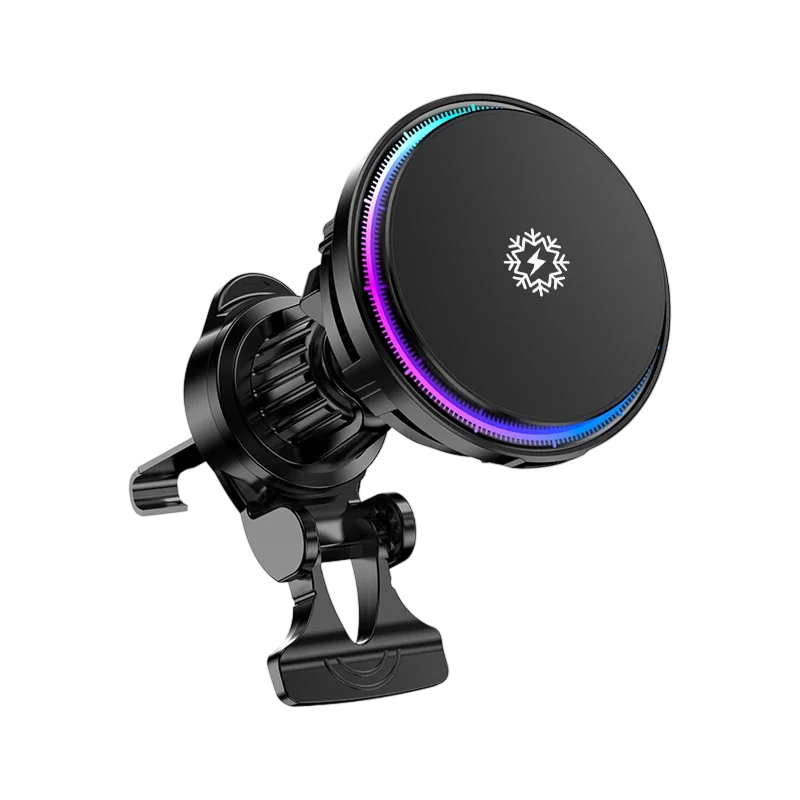
The HalcyonMount is a magnetic car phone mount with a wireless charging face. It hooks onto an air vent, and its telescopic hook spans 0.8 to 2.8 cm (about 0.3 to 1.1 in) to fit vent slats. A ball joint lets you set your viewing angle, and six magnets hold the phone in portrait or landscape.
It charges the phone when powered from a QC 3.0 car charger, and the product page lists 15W wireless charging. Active cooling runs alongside charging when the mount is powered that way. A soft silicone face cushions the back of the phone, and a magnetic adapter for cases without magnets is in the box. Whichever mount you consider, run the checklist below, including the Qi list lookup.
 In this guideHalcyonMount$79.99View
Checklist before buying a charging mount
Work through these points in order. If a mount fails the first row, the others matter less.
| Check | What to look for |
|---|---|
| Listing | The exact model appears on the standard's product list |
| Version | Qi or Qi2, matched to your phone's magnet support |
| Wattage | The listed power level matches the figure on the product page |
| Power source | The car charger type the mount lists, and the cable in the box |
| Case | A thin case, or a magnetic adapter when the case has no magnets |
| Vent fit | The hook range suits your vent slats |
| Heat handling | A cooling feature, or a placement out of direct sun |
| Mounting angle | A joint that holds the phone where you can see it without blocking the road |
Field note
Remove coins, keys, cards with metal strips and metal plates from between the phone and the charging face before you drive. If the phone does not charge, lift it off and check for metal or a case that is too thick.

Common mistakes with wireless charging in a car
- Trusting a logo on a product page. Look up the model instead.
- Pairing a mount with a car charger that does not match the protocol the mount lists.
- Leaving a thick case or a metal plate between the phone and the coil.
- Mounting the phone where direct sun hits it for the whole drive.
- Placing the mount where it blocks a vent you need or your view of the road.
- Skipping a look at cables and plugs when you install the mount. Unplug and follow the manual if anything looks damaged.
Wireless charging is also confused with the wireless connection to the car display. They are separate: the first moves power, the second moves data.
Wireless charging is not wireless projection
A Qi charger sends power to the phone. It does not connect the phone to the car's screen. If your car has factory wired smartphone projection, the DriveLink Pro is a wireless adapter that plugs into the car's USB port and pairs with your phone over Bluetooth, then connects the display to your phone without a cable. It stores paired phones for automatic reconnection. Check that your car supports wired projection over USB before you install it.
If you are sorting out other cabin audio and connection gear, see the Audio, Connectivity & Diagnostics collection. For a car without projection support, our guide to the FM transmitter for your car explains another option.
 In this guideDriveLink Pro$89.99View
Frequently asked questions
Keep reading
 Audio, Connectivity & DiagnosticsWhat Does a Water Pump Do in a Car? Role, Failure Signs, Checks8 min read
 Audio, Connectivity & DiagnosticsWhat Is a Knock Sensor? What It Does and How to Check It7 min read
 Audio, Connectivity & DiagnosticsHow to Clean an Oxygen Sensor, or Replace It Instead6 min read